
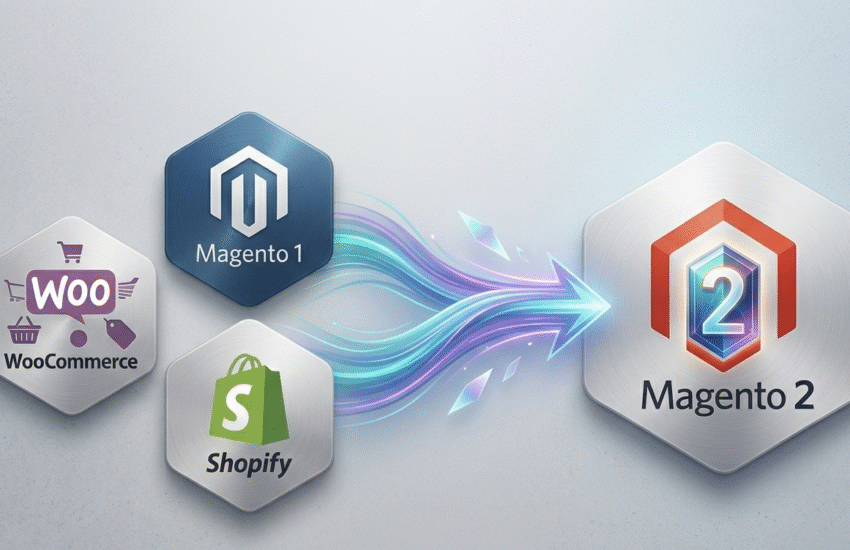
Magento 2 migration has become a crucial step for businesses seeking a faster, more secure, and scalable eCommerce platform. Whether you are moving from Magento 1, WooCommerce, or Shopify, a smooth migration ensures your data, customers, and store functionality remain intact while unlocking the advanced features and performance improvements of Magento 2. A poorly planned migration, however, can lead to downtime, lost data, and a disrupted customer experience. In this guide, we will walk you through the key steps to safely migrate to Magento 2 with minimal risk.
When Migrating to Magento 2 Makes Business Sense
Businesses often consider ecommerce migration to Magento 2 platform when their current platform struggles to handle growing traffic, lacks modern features, or presents security vulnerabilities. Other scenarios include:
- Your Magento 1 store is reaching end-of-life and no longer receives updates, then, choose Magento 1 to Magento 2 migration is the best solution.
- You want better performance, faster page speed, and improved user experience.
- You need advanced features like multi-store management, better SEO, or enhanced checkout options.
- Your existing platform limits integrations with modern payment gateways, ERP systems, or analytics tools.
A strategic Magento 2 migration ensures your business can scale safely, maintain customer trust, and take advantage of the platform’s improved capabilities.
Partnering with a professional team like ShopYard ensures the process is efficient, minimizing downtime and risk.
Magento 2 Migration Planning: Products, Customers, Orders, and Content
Before starting any Magento 2 migration, careful planning is essential. This involves auditing your current store to understand what data, products, customer records, orders, and content need to be transferred.
Prioritizing critical assets ensures that nothing is lost during the migration and helps map old structures to the new Magento 2 setup.
Planning also includes defining project milestones, resource allocation, and downtime management to minimize impact on ongoing sales.
ShopYard assists in creating detailed migration plans, ensuring that every product, order, and customer record is safely moved with zero data loss.
Magento 2 Migration Methods: Tools, Scripts, and Manual Approaches
There are several ways to perform a Magento 2 migration depending on the platform you’re moving from and your store’s complexity.
- Automated tools and scripts can handle standard data transfers quickly.
- Manual migration is recommended for custom features, extensions, or highly customized content.
Choosing the right method balances speed, accuracy, and safety, ensuring a smooth transition without breaking site functionality.
ShopYard provides expert guidance on selecting the best migration method, combining automated tools with custom scripts for a seamless and secure move.
Setting Up Migrate to Magento 2 Environments: Dev, Staging, Production
A safe Magento 2 migration requires creating separate development, staging, and production environments.
- Development environments allow testing migration scripts and customizations,
- Staging environments simulate real-world conditions to catch errors.
- Production environments host the final live store.
This layered setup reduces risks, allows thorough testing, and ensures minimal disruption to customers.
ShopYard sets up and manages all migration environments professionally, making sure your Magento 2 store launches flawlessly while maintaining operational continuity.
Preserving SEO: URL Structure, Redirects, and Indexing Strategy
Maintaining search engine rankings is a critical part of any Magento 2 migration. This involves:
- Preserving your existing URL structure.
- Implementing proper 301 redirects for changed URLs.
- Ensuring that indexing strategies are updated to match the new platform.
Neglecting SEO during migration can lead to traffic drops and lost revenue, so every link, meta tag, and canonical URL must be carefully mapped and tested.
ShopYard ensures SEO is preserved during migration by implementing precise redirects, maintaining URL consistency, and optimizing indexing to protect your search rankings.
Theme Migration vs UX/UI Rebuild: What’s Best and Why
When migrating to Magento 2, you must decide whether to transfer your current theme or rebuild the UX/UI entirely.
- Preserving your theme can save time but may limit performance improvements and modern design capabilities.
- A full UX/UI rebuild allows for a faster, more responsive, and conversion-optimized storefront, enhancing overall Magento 2 performance while providing a fresh user experience.
ShopYard guides businesses in choosing the right approach, delivering custom UX/UI designs that balance brand identity with modern performance standards.
Rebuilding Integrations: Payments, Shipping, ERP, CRM
All existing integrations need careful attention during a Magento 2 migration. Payment gateways, shipping modules, ERP, and CRM systems may require updates or full reimplementation to be compatible with Magento 2.
Testing these integrations ensures transactions, logistics, and data flows continue without errors, preserving operational efficiency and customer trust.
ShopYard rebuilds and tests all integrations during migration, ensuring seamless connectivity with your payment, shipping, ERP, and CRM systems for a smooth operational transition.
Post-Migration Testing: Functionality, Speed, Security, Tracking
After completing a Magento 2 migration, thorough testing is essential to ensure everything works as intended. This includes:
- Verifying store functionality
- Page speed, security protocols
- Tracking setups for analytics and conversions.
Testing helps identify and fix issues before they affect customers, ensuring that product pages, checkout, and system integrations operate flawlessly.
ShopYard performs comprehensive post-migration testing, covering all aspects of functionality, speed, security, and tracking to guarantee a smooth and reliable store launch.
Go-Live Risk Reduction: Phased Rollout and Monitoring
Launching a newly migrated store can be risky if done all at once. A phased rollout allows gradual exposure to real users, minimizing potential disruptions.
Continuous monitoring during and after launch ensures performance, uptime, and error detection are closely observed, reducing risks associated with sudden traffic spikes or unnoticed issues.
ShopYard implements phased rollouts and ongoing monitoring, ensuring your Magento 2 store goes live safely and maintains peak performance from day one.
Final Magento 2 Migration Checklist Before Launch
Before making your Magento 2 migration live, a final checklist ensures nothing is overlooked and the store operates smoothly:
- Data Integrity: Verify that all products, customer accounts, orders, and content have migrated correctly.
- URL and SEO Checks: Confirm proper 301 redirects, canonical tags, and sitemap updates.
- Functionality Testing: Test checkout, search, filters, and all key store features.
- Performance Verification: Check page speed, caching, and Core Web Vitals compliance.
- Security Measures: Ensure SSL certificates, admin permissions, and security patches are correctly applied.
- Integrations Testing: Confirm ERP, CRM, payment gateways, shipping, and analytics are fully functional.
- Backup and Rollback Plan: Have a complete backup and rollback strategy ready in case issues arise.
In conclusion, migrating or upgrading your store to Magento 2 doesn’t have to be stressful. With the right expertise, every step can be handled easily.
ShopYard specializes in Magento 2 migration and offers the experience, tools, and best practices to execute the entire process flawlessly, ensuring your store is faster, more secure, and fully optimized.
No matter the size or complexity of your store, ShopYard makes your Magento 2 upgrade smooth and worry-free.
Contact us today and let our experts manage your Magento 2 upgrade and eCommerce development with confidence, precision, and zero hassle.
FAQs
What is Magento 2 migration?
Magento 2 migration is the process of moving your store, including products, customers, orders, and content, from Magento 1, WooCommerce, Shopify, or another platform to Magento 2 while ensuring functionality, performance, and SEO are preserved.
When should I consider a Magento 2 upgrade?
You should upgrade when your current platform becomes outdated, lacks features, has security vulnerabilities, or struggles with performance.
How long does a typical Magento 2 migration take?
The timeline varies depending on store size, customizations, and integrations. Small stores can take a few weeks, while complex stores with multiple integrations may take 2–3 months.
Can I migrate to Magento 2 without losing SEO rankings?
Yes. By carefully preserving URLs, implementing 301 redirects, and following proper indexing strategies, you can maintain search engine visibility and protect traffic during the migration.

